MercoPress. South Atlantic News Agency



Why Localization Matters for Online Entertainment in Africa
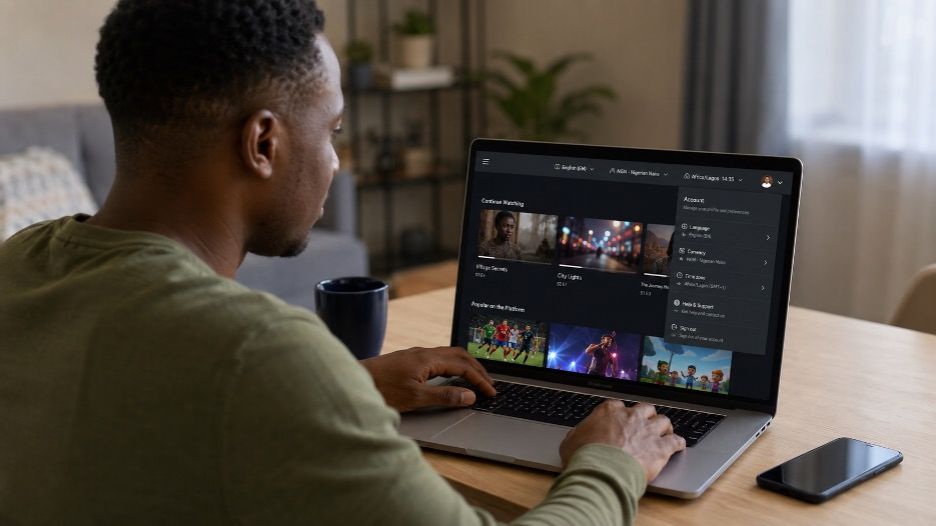
An international platform can open on a phone anywhere, yet the experience may still feel designed for another market.
When African users explore a service such as 888starz casino, the useful question is whether its language, account settings, and operating hours fit their location.
Localization reaches far beyond translated buttons. It affects how prices appear, when an offer expires, and which documents a user can submit. A small mismatch may look harmless until it causes a failed form or a missed deadline.
This article explains how to tell whether an online entertainment platform has been adapted to the user's country or simply made available there.
What Localization Changes in Everyday Use
A translated homepage is only the visible layer. Proper localization also covers the information generated while the platform is running.
Unicode's Common Locale Data Repository supplies software systems with conventions for dates, numbers, currencies, and measurement units. Its data is used across major operating systems and mobile devices. This matters because the same value can be displayed differently depending on the selected language and region.
| Area | Basic translation | Full localization |
|---|---|---|
| Language | Menus translated | Help pages and errors also adapted |
| Currency | Symbol replaced | Amounts, decimals and limits formatted correctly |
| Time | One fixed time zone | Events shown in local time |
| Registration | Text translated | Local phone and address formats accepted |
| Support | English replies available | Opening hours fit the market |
| Content | Same catalogue everywhere | Regional availability is explained |
A service may pass the first column and still create friction during normal use. The second column shows whether the product has been prepared for the market itself.
Details That Reveal Real Localization
The easiest checks involve details that should change with the selected country or region. A properly localized platform carries those settings through the full account journey, from sign-up to support.

Language & Terminology
A language option should cover more than navigation labels. Open the help center and one account form. Then check an error message.
Partial translation often appears when the main interface uses one language, but payment instructions or account notices switch back to another. That creates extra risk when the message concerns a deadline or required action.
Terminology should also remain consistent. The same account area should not alternate between “wallet,” “cashier”, and “balance” unless those words describe different functions.
Android's localization guidance tells developers to adapt text and audio alongside numbers, currency, and graphics. Android 13 and later also support language preferences for individual apps, so a user may choose a different language from the one used across the rest of the phone.
Currency & Number Formats
The currency code should be visible before a payment or purchase is confirmed. A bare figure such as “2,500” provides little context when the platform serves several countries.
Check whether the service uses a local currency or converts the amount at checkout. Also, look at decimal separators. A comma can mark thousands in one format and decimals in another.
The presentation should stay consistent across:
- The account balance;
- Purchase or deposit fields;
- Transaction history;
- Promotional conditions;
- Withdrawal or refund limits.
A user should not have to guess whether two screens are showing the same currency. Apple and Unicode both treat currency, number, and date conventions as locale-sensitive data that software should format for the selected region.
Dates, Deadlines & Local Time
Time becomes important during live events and limited offers. A platform may show “ends at midnight” without naming the time zone.
Look for a zone label beside scheduled events. Where possible, the service should convert the start time to the account's region. A countdown can help, although it should support the written deadline rather than replace it.
The date order also needs attention. A date written as 04/07/2026 may be read as 4 July or 7 April. W3C guidance notes that date formats differ across locales and can easily confuse international audiences. Writing the month in words removes much of that ambiguity.
Before relying on a deadline, confirm:
- The full date;
- The stated time zone;
- Whether the account displays local time;
- What happens when the period expires.
Phone Numbers, Addresses & Documents
A localized form should accept information in the format used in the selected country. The country code may be added automatically, but the platform should show what the user needs to type.
Address forms also vary. A field marked “state” may make sense in one market and create confusion in another. Optional lines should not become mandatory simply because the original form was built for a different country.
Verification instructions deserve the same treatment. The service should name the documents it accepts for the user's market and explain which side or page must be uploaded. A generic request for “government ID” leaves too much room for failed submissions.
The selected language and region are separate settings in many systems. Region information can affect formatting, physical market rules, and other local behavior even when the language stays the same.
Check Which Content Is Actually Available
An international catalog may change by country because of commercial rights or local rules. The platform should reveal these limits before the user pays or creates expectations around a specific item.
Search for the content while signed out, then repeat the search after selecting the correct region. If it disappears, the service should explain why. A blank page or endless loading screen looks like a technical failure.
For gaming platforms, regional differences may affect available titles or promotional features. The account should show the applicable version of the rules rather than leaving the user to read conditions written for another jurisdiction.
Support Should Fit the User's Region
A translated interface loses value when support works only during distant business hours. Check the operating schedule and the time zone attached to it.
The contact page should also state which languages are available through each channel. An interface may support several languages while live chat operates in only one.
Send a short regional question before relying on the service. Ask which currency the account uses or which documents are accepted from the selected country. A useful answer should address that location directly.
Support that sends the same global template to every user may struggle when a local issue appears.
Common Mismatches and Their Effects
Localization gaps often become visible only after the user moves beyond the homepage. See how common mismatches may affect the experience, and where to look for them.
| Localization mismatch | Likely result | Useful check |
|---|---|---|
| Mixed interface languages | Important detail is misunderstood | Open help and account pages |
| Currency code missing | User misreads the amount | Compare balance and checkout |
| Deadline lacks a time zone | Event or offer is missed | Look for zone or countdown |
| Foreign address fields | Registration cannot be completed | Review required fields |
| Documents not listed by country | Verification is rejected | Read the upload instructions |
| Support hours shown remotely | User expects an immediate reply | Convert the schedule |
Several small mismatches can indicate that the platform has translated its public pages without adapting the underlying account journey.
One Account May Serve Several African Markets
Africa should not be treated as one locale. A service may operate across countries that use different currencies, time zones, and administrative formats.
The account's chosen country should therefore control more than promotional content. It may affect available payment routes, legal notices, and identity requirements.
Users traveling between countries should check whether changing location alters the terms attached to the account. The language preference can stay the same while the applicable market changes.
The Bottom Line on Localization
Good localization makes an international platform easier to understand before anything goes wrong. The language remains consistent, the currency is identified, and deadlines use a clear local time.
Check forms and regional terms before creating a paid account. Then test support with a question tied to the selected country. These details show whether the service has been adapted for the market or merely translated at the surface.
FAQ
Is translation the same as localization?
No. Translation changes the language. Localization also adapts formats, forms, and regional conditions.
Why should a platform show the currency code?
The same symbol may be used by more than one currency. A code such as KES or USD removes uncertainty.
Can the app language differ from the phone language?
Yes. Newer mobile operating systems allow supported apps to use their own language preference.
How can I check a promotion's local deadline?
Look for the full date and time zone. Use the countdown only as a secondary check.
What is the quickest sign of weak localization?
Mixed languages in account pages or help content are a common warning. Currency and date inconsistencies are also easy to spot.


Top Comments
Disclaimer & comment rulesCommenting for this story is now closed.
If you have a Facebook account, become a fan and comment on our Facebook Page!